

The Workora Journal / Modern Workspace Design
The Modern Office: Designing a Workspace That Works for You
Explore how thoughtful layouts, comfortable furniture, flexible work zones, and modern design principles can create an office that supports the way you work.
The best modern office is not defined by a particular style. It is defined by how naturally the space supports the people who use it.
The way we work continues to evolve. Digital collaboration, flexible schedules, focused individual tasks, and a growing emphasis on everyday comfort have changed what people expect from an office.
A successful workspace must now do more than accommodate desks and computers. It should make room for concentration, communication, movement, creativity, and the practical routines that shape a working day.
Modern office design responds to these needs through thoughtful planning. Rather than filling a room with furniture and expecting people to adapt, it begins with understanding how the space will actually be used.
The result may be a quiet home office, a flexible team workspace, or a sophisticated professional environment. Each can look different while following the same essential principle.
Good office design should support your work, reflect your priorities, and remain comfortable as your needs change.
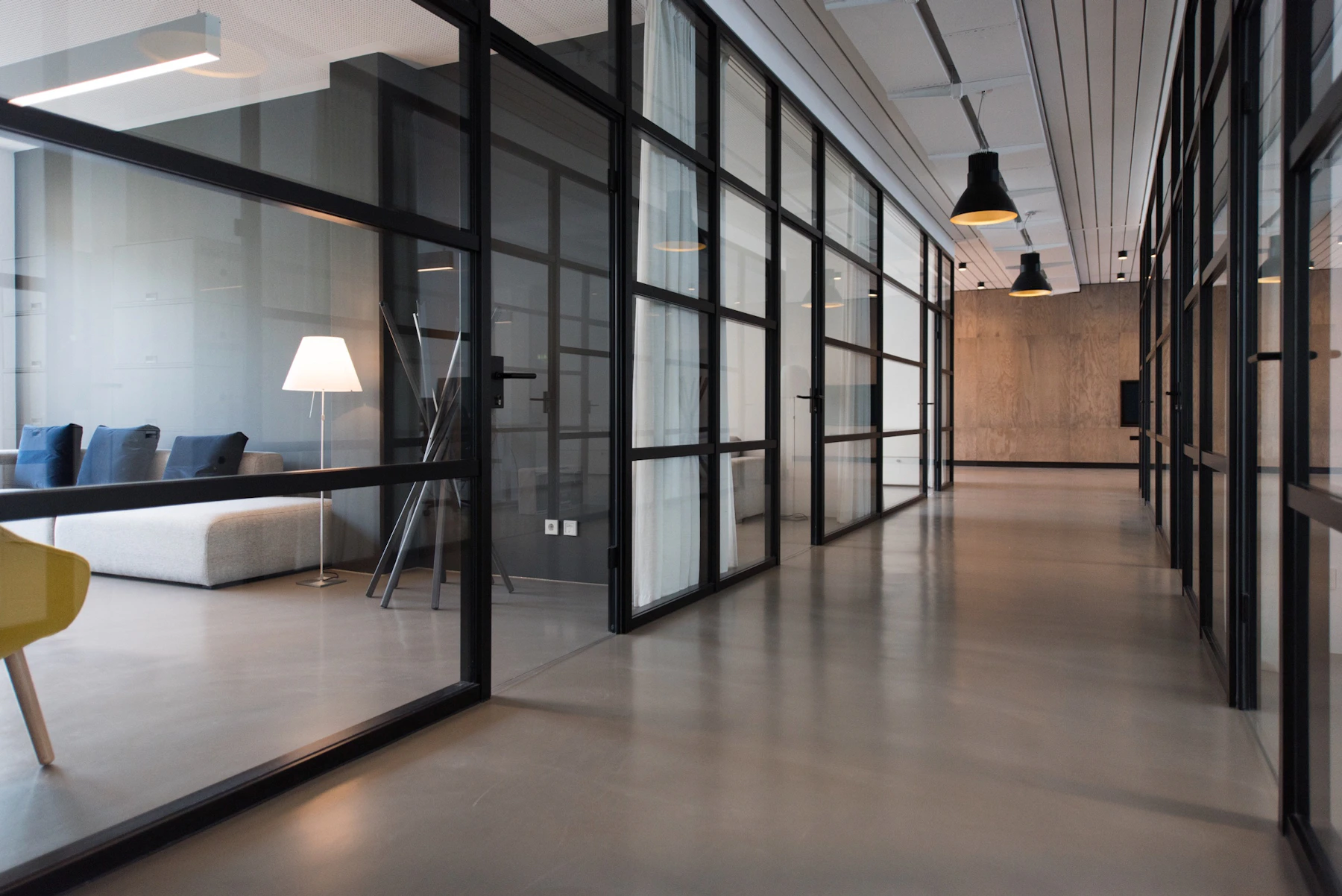
Start with a Layout That Makes Everyday Tasks Easier
Before selecting furniture, consider how the office will function. Think about the tasks performed most frequently, the equipment required, and the amount of privacy or collaboration needed.
A workspace designed primarily for focused computer work may benefit from a quieter layout, while a team environment may need shared tables, meeting areas, and accessible storage.
The right arrangement should make movement natural and reduce unnecessary interruptions.
- Primary workstations: Provide enough room for essential equipment and comfortable working posture.
- Circulation: Maintain clear routes between desks, storage, and shared areas.
- Privacy: Consider visual and acoustic separation for tasks requiring concentration.
- Flexibility: Allow furniture and equipment to adapt to changing projects or team needs.
A thoughtful layout helps the office feel organized and intuitive rather than crowded or restrictive.

Choose Furniture That Supports Real Working Habits
Furniture influences both the appearance of an office and how comfortable it feels to use. The most effective choices balance proportions, durability, practical features, and ergonomic support.
Start with a desk that accommodates your essential tools without taking up unnecessary floor space. Consider the height, surface dimensions, available legroom, and relationship to surrounding furniture.
Select an adjustable chair that supports a comfortable posture. Look for suitable seat height, back support, and armrest positioning rather than choosing seating based on appearance alone.
Where appropriate, a height-adjustable desk can provide an additional way to change working positions. However, alternating postures and taking movement breaks remain important regardless of desk type.
Accessories such as monitor supports, footrests, task lamps, and cable organizers should be chosen according to actual needs.
The most valuable office furniture is the furniture that feels comfortable, functions reliably, and remains useful over time.
The Modern Office Formula
Four Principles of a Better Workspace
Successful modern offices bring together comfort, clarity, adaptability, and a visual environment that feels welcoming.
Function First
Design around the tasks people actually perform. Prioritize practical layouts and useful furniture before adding decorative details.
Human-Centered Design
Consider seating, desk height, lighting, temperature, movement, and acoustic comfort as essential parts of the working environment.
Adaptable Spaces
Choose layouts and furniture that can respond to changing responsibilities, evolving technology, and different ways of working.
Visual Clarity
Use a cohesive material palette, thoughtful organization, and appropriate storage to create a calm and professional atmosphere.


04 / THE WORKING ATMOSPHERE
Create a Calm Environment Through Light, Color, and Materials
The visual character of an office can influence how welcoming and comfortable it feels. Thoughtful color choices, appropriate lighting, and carefully selected materials help establish a sense of balance.
Neutral foundations such as ivory, warm gray, stone, and pale wood can create a flexible backdrop. Deeper accents, including navy and charcoal, may add definition without overwhelming the room.
Make Daylight Part of the Design
Arrange workstations to benefit from natural light while minimizing glare on screens. Adjustable window treatments can help manage brightness throughout the day.
Introduce Comfortable Textures
Natural wood, upholstered seating, acoustic textiles, and matte finishes can soften the appearance of technology and hard architectural surfaces.
Balance Ambient and Task Lighting
Combine suitable general illumination with adjustable lighting for reading, writing, and detailed work. Avoid excessive brightness contrasts between screens and surrounding surfaces.
A comfortable visual environment should feel refined without becoming overly formal or visually distracting.
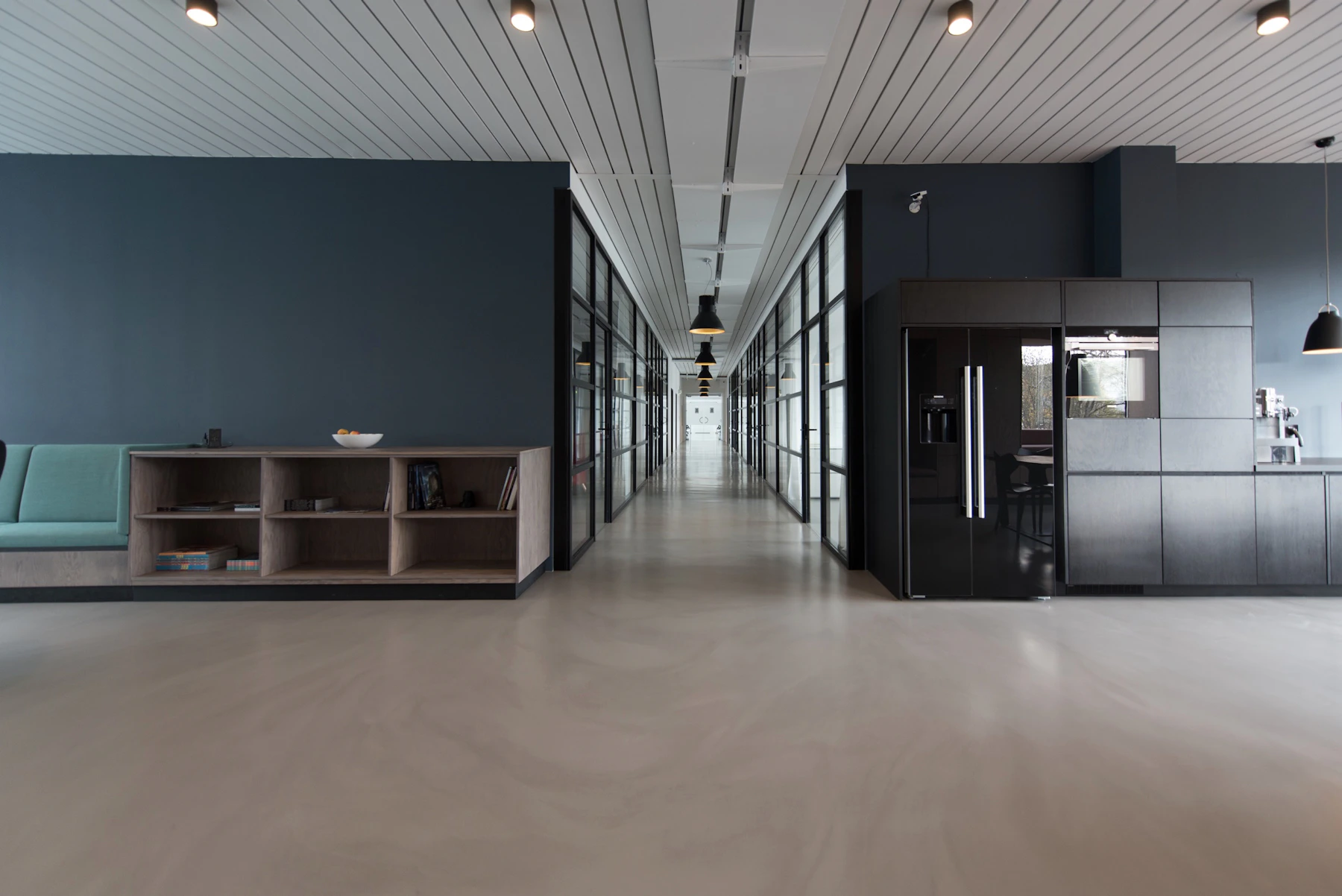
Design for Focus, Collaboration, and Movement
Not every task requires the same type of environment. Focused work, team discussions, video calls, and informal conversations may benefit from different settings.
In larger offices, dedicated zones can help separate activities that might otherwise interrupt one another.
Quiet workstations support concentration, while shared tables and meeting rooms provide places for collaboration. Informal seating areas may encourage shorter conversations away from primary desks.
Smaller offices can apply the same principle on a more compact scale. A movable chair, flexible table, or thoughtfully arranged corner may allow one space to support several activities.
Consider acoustics carefully. Soft furnishings, suitable partitions, and appropriate room planning can help manage noise, particularly in shared environments.
The goal is not to create as many zones as possible, but to provide the right settings for the work being done.

Make Technology Work Seamlessly with the Space
Technology is central to many modern offices, but poorly arranged devices and cables can make even a thoughtfully designed room feel disorganized.
Plan power access, monitor placement, charging locations, and cable routing before finalizing the furniture arrangement.
Choose compatible accessories that simplify everyday tasks. Monitor arms, suitable docking solutions, cable trays, and organized charging areas can reduce visual clutter while keeping equipment accessible.
For video meetings, consider camera height, lighting, microphone quality, and background appearance. Shared spaces may also require privacy-conscious arrangements.
Digital organization matters too. Clear file structures, reliable backups, and sensible notification settings can support a more efficient working routine.
The smartest office technology is not necessarily the most elaborate. It is the technology that solves practical problems without creating new ones.
The Workora Workspace Blueprint
Six Steps to Designing an Office That Works for You
Use these practical considerations to create a modern workspace that balances everyday comfort, efficiency, organization, and visual refinement.
Identify Your Working Needs
Consider your most common tasks, equipment requirements, privacy needs, and patterns of collaboration.
Build a Functional Layout
Arrange workstations, storage, and shared areas to support natural movement and reduce unnecessary interruptions.
Prioritize Ergonomic Comfort
Choose appropriate desks, supportive seating, and adjustable equipment that accommodate comfortable working positions.
Refine the Atmosphere
Use suitable lighting, cohesive materials, comfortable textures, and thoughtful acoustic considerations.
Integrate Technology
Plan device placement, power access, cable management, and digital tools around everyday working activities.
Keep the Space Adaptable
Review the office regularly and adjust furniture, organization, or layout as your responsibilities change.
The Workora Perspective
A Modern Office Should Adapt to You, Not the Other Way Around.
The most effective modern office is not simply a collection of contemporary furniture or a visually impressive interior. It is an environment designed around the people, activities, and routines it needs to support.
Begin with a practical layout and comfortable furniture. Create appropriate areas for concentration and collaboration, organize technology thoughtfully, and establish a visual atmosphere that feels welcoming.
Choose adaptable solutions where possible, and allow the space to evolve as your needs change.
When design follows the way you work, your office becomes more than a place to complete tasks. It becomes a comfortable, purposeful environment that supports better working days.
Explore Workspace Essentials

